WAF - Managed Rule
Cloudflare Managed Rules are a preconfigured set of Web Application Firewall (WAF) rules maintained by Cloudflare.
They are designed to protect your applications against the most common vulnerabilities and attack patterns — without requiring you to manually build every rule.
These rules are:
- Continuously updated → Cloudflare’s security team monitors new CVEs and threat intelligence, then updates the rules automatically.
- Based on OWASP Top 10 → Covering threats like SQL Injection, Cross-Site Scripting (XSS), Local File Inclusion, and other common web exploits.
- Easy to enable → You can apply them with a few clicks, reducing the need for custom configuration.
- Customizable → Rules can be fine-tuned or overridden if you need exceptions for your specific application.
Why Managed Rules?
- ✅ Save time → No need to research, write, or maintain complex WAF rules manually.
- ✅ Instant protection → Get coverage against the latest vulnerabilities as soon as Cloudflare updates its rulesets.
- ✅ Reduce false positives → Pre-tested against real-world traffic patterns.
- ✅ Layered defense → Combine with your Custom Rules and Rate Limiting for stronger application security.
Think of Managed Rules as Cloudflare’s security “starter pack” — they give you broad protection against known threats out of the box.
You can then add Custom Rules for application-specific needs, and Advanced Rate Limiting for abuse prevention.
The directory showing in this section is zone level.
Deploy Cloudflare managed ruleset
- In the Cloudflare Dashboard go to
Security‣Settingsand filterWeb application exploits.
- Toggle to switch on the
Cloudflare managed ruleset.
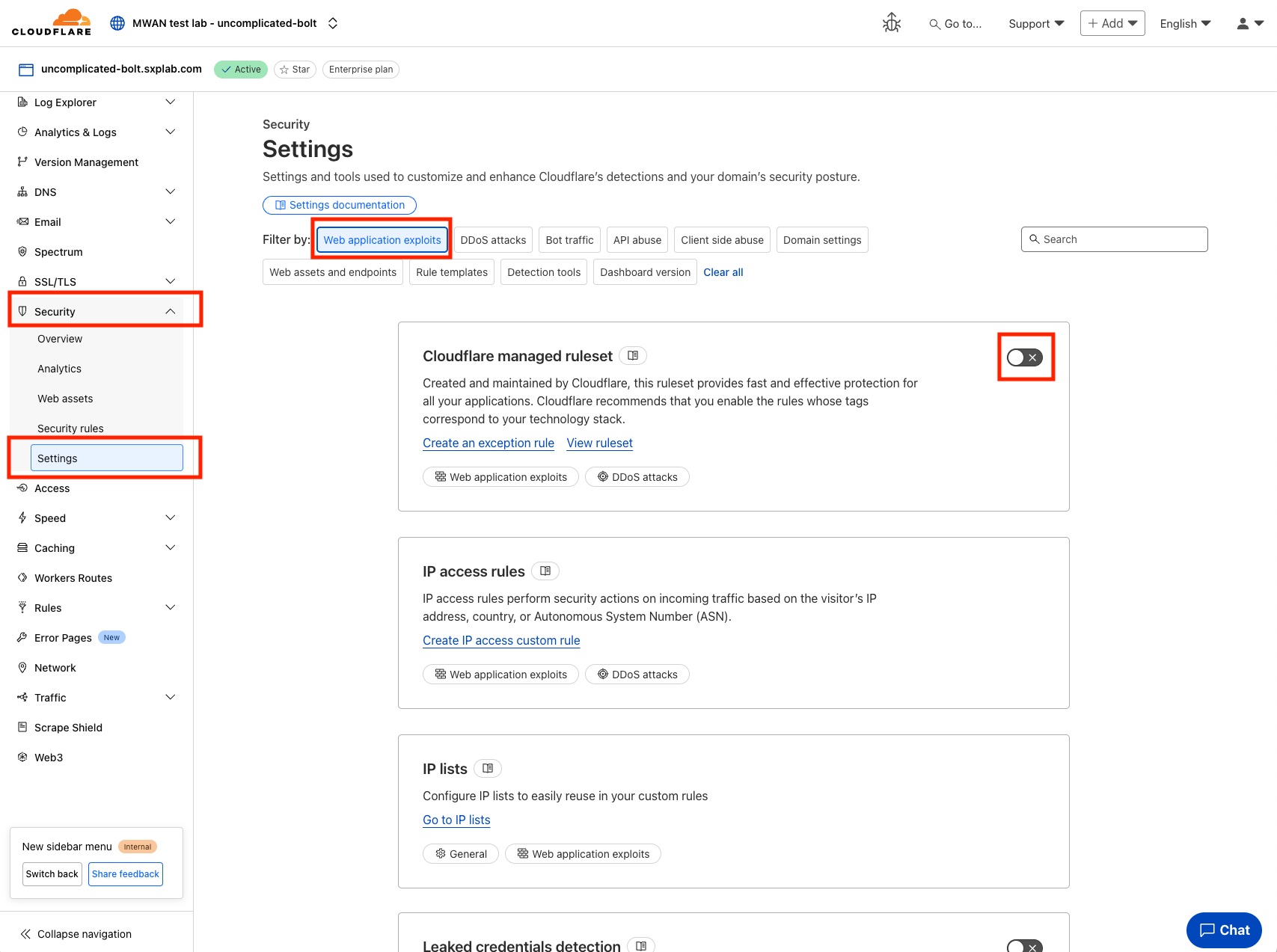
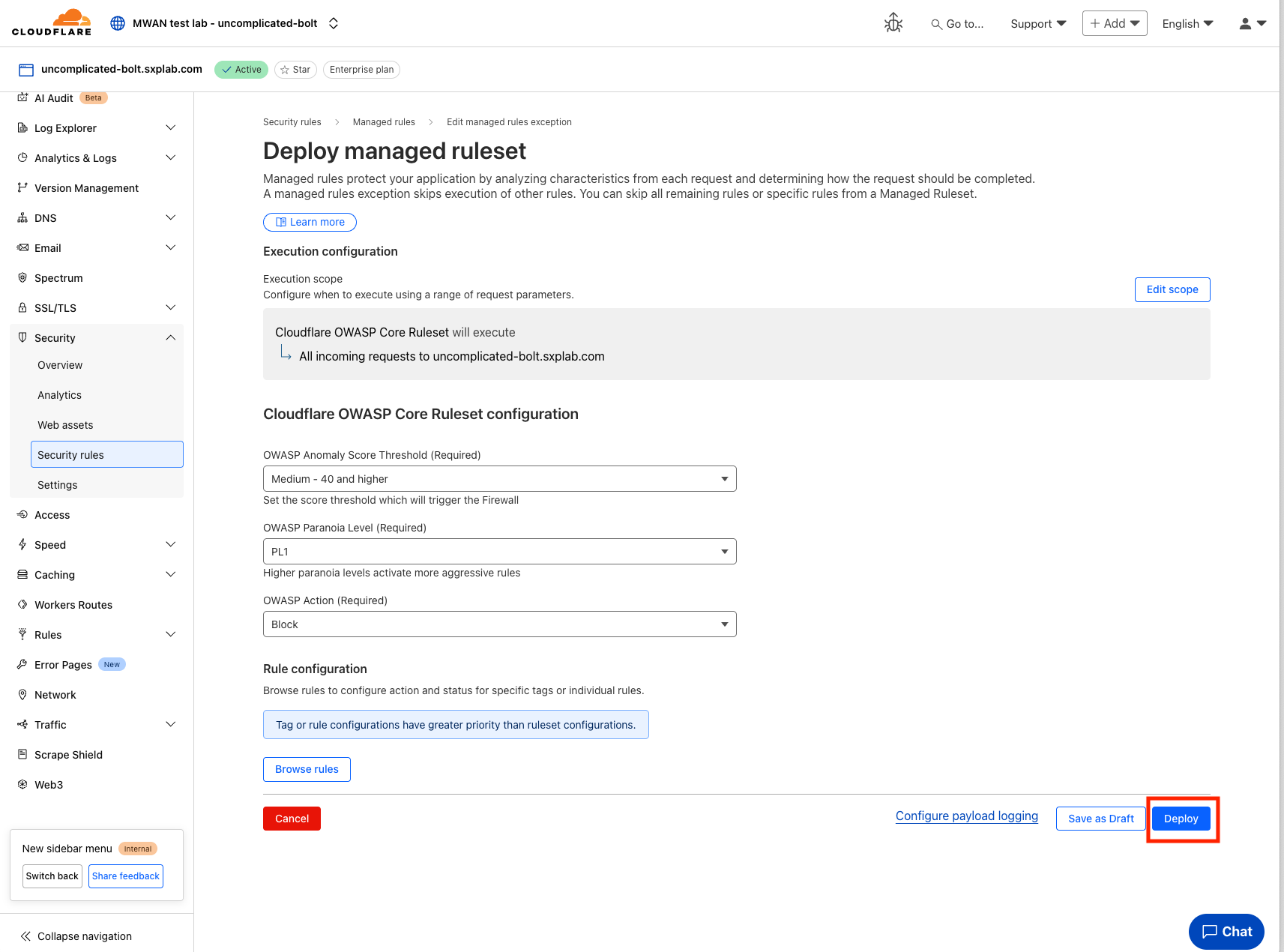
- You will be redirected to this pages.
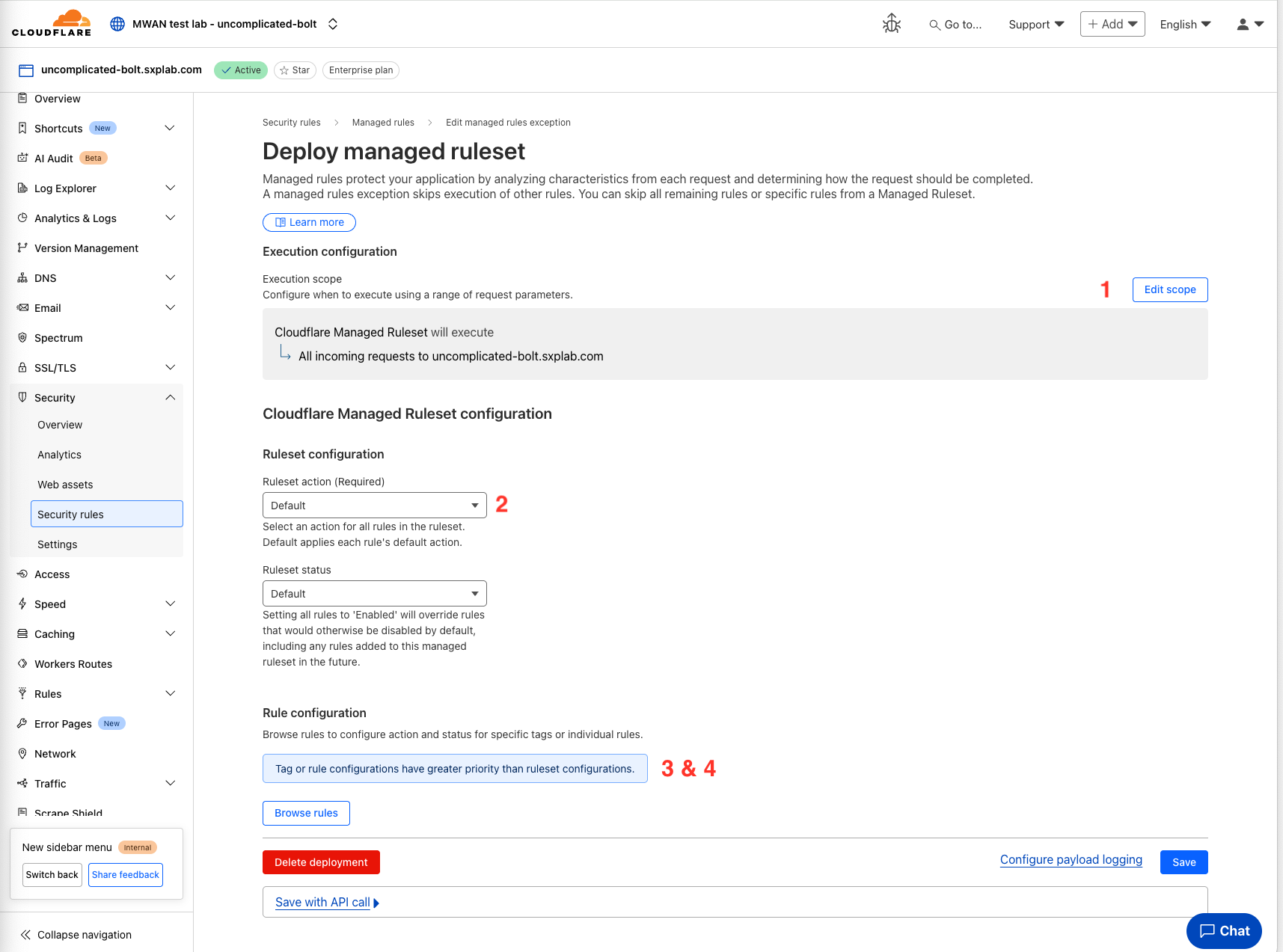
-
Execution scope with custom filter expression to apply the ruleset only to a subset of incoming requests.
-
Set the action to perform (Managed Challenge, Block, JS Challenge, Log, Interactive Challenge, or Default).
-
Browse and disable specific rules or rules with specific tags
-
Override the action performed by individual rules or rules with specific tags
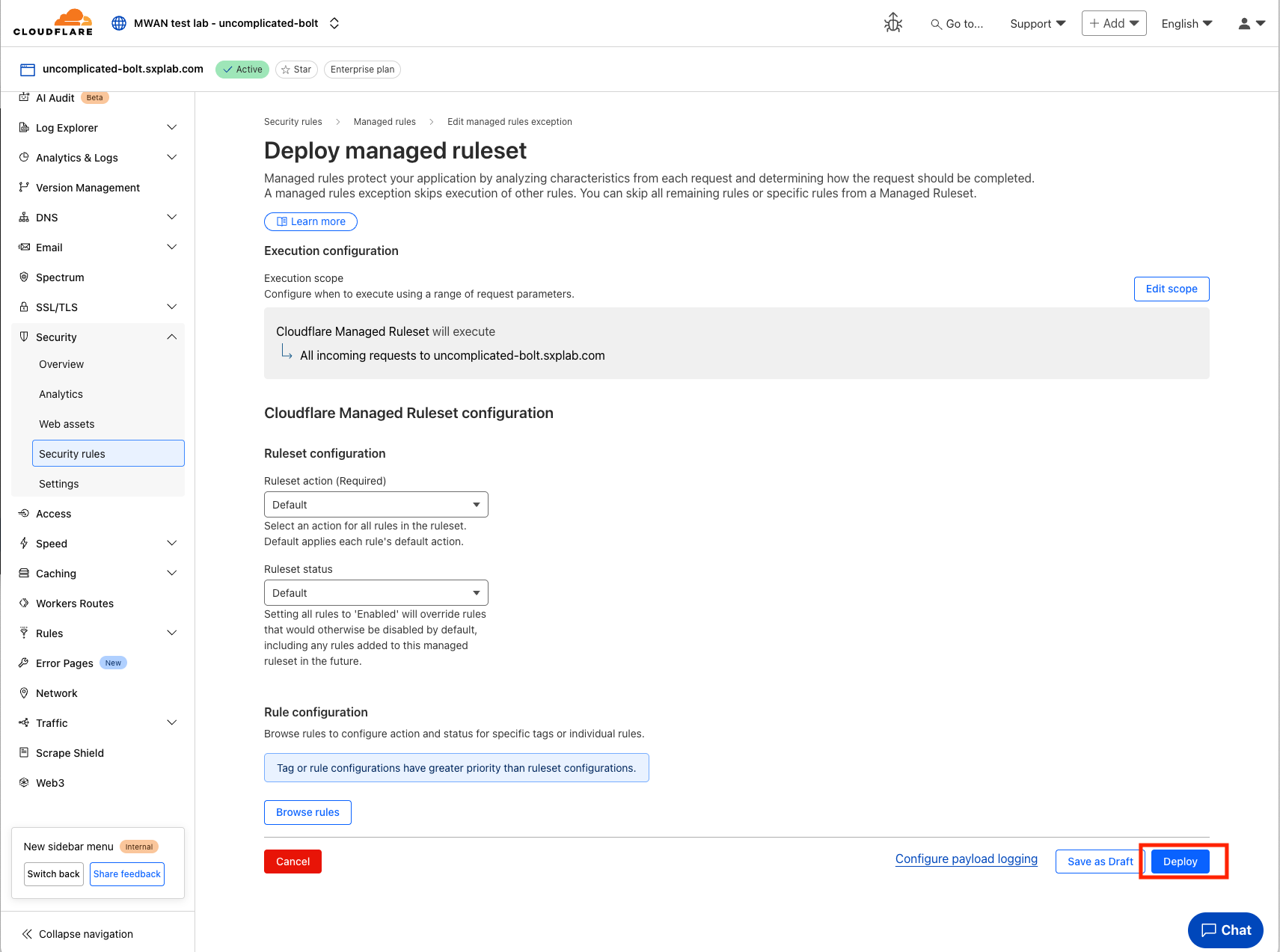
- For now we will leave everything as default and click
Deploy.
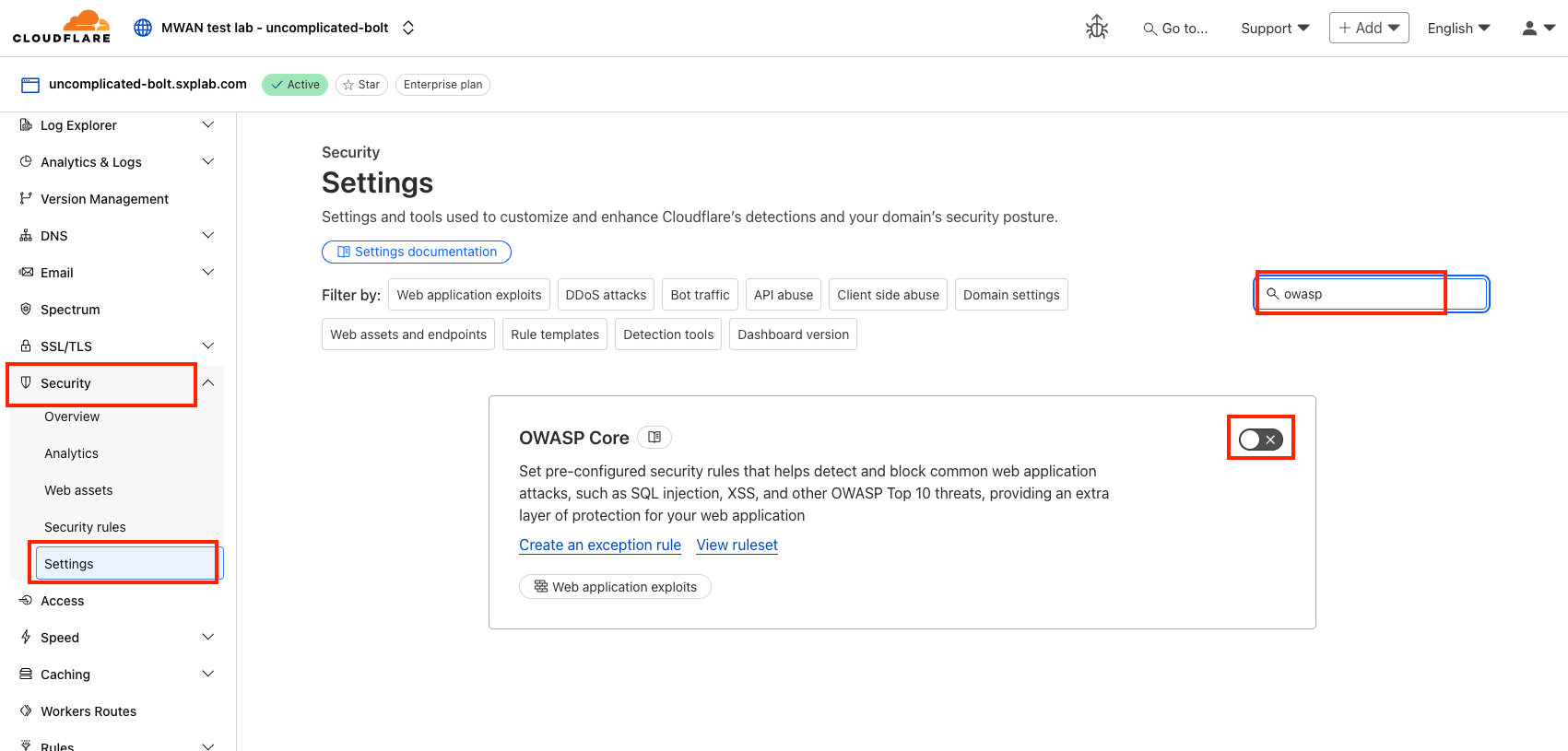
Deploy OWASP Core
- Repeat the same steps to deploy
OWASP Corerules.
Checkpoint 1
- After everything done, you will see both ruleset is now enabled.
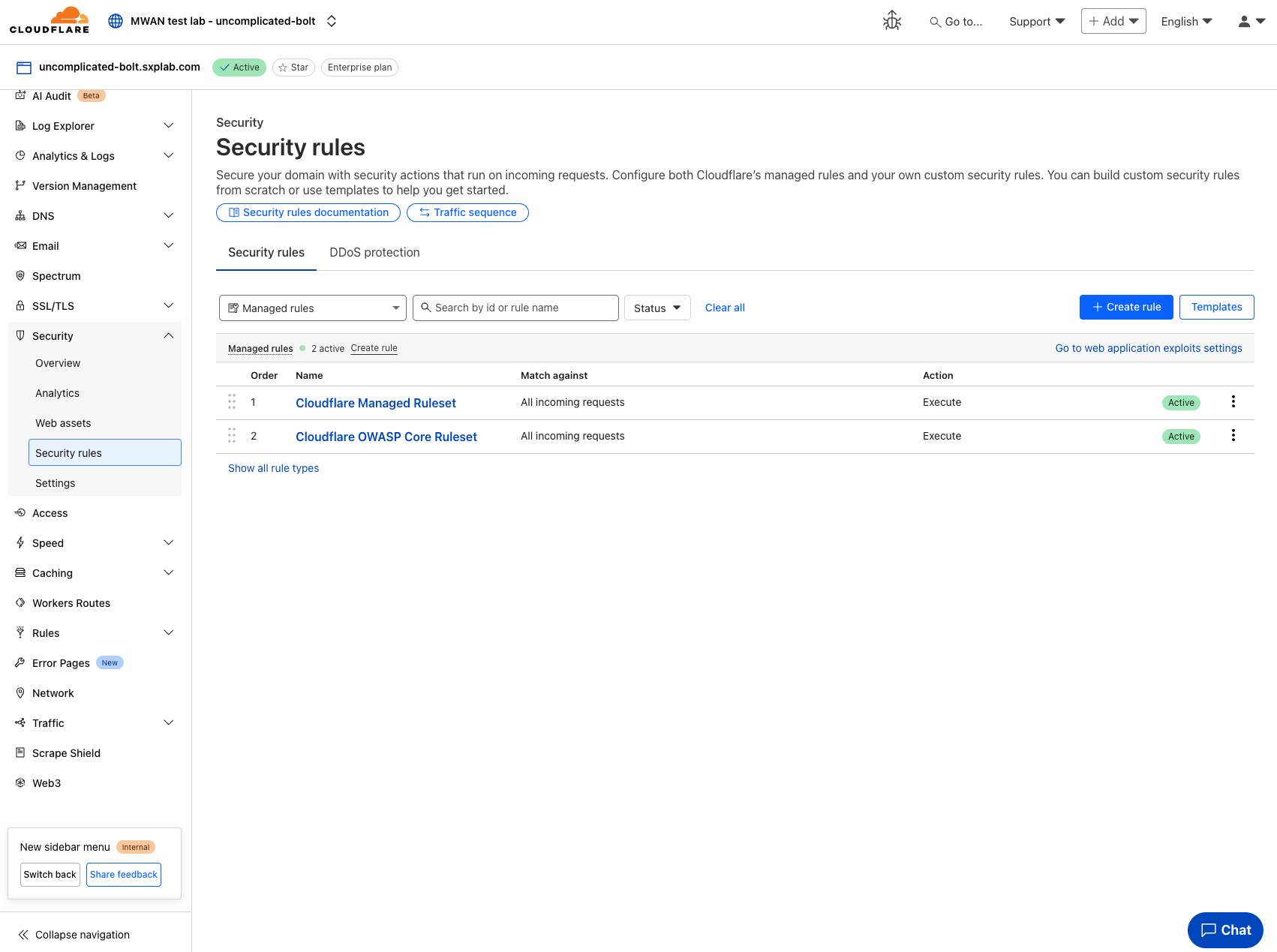
If you’d like to understand more about the rulesets and their various settings, please see Cloudflare WAF Developers Docs.
Rule verification
At this point, you have deployed the 2 rulesets which is Cloudflare Managed ruleset and OWASP Core.
- Now, lets run some malicious
curlcommand to observe how the Log looks like.
Please replace the URL below with your own domain name.
for i in {1..50}; \
	do curl -svo /dev/null https://your-domain-name \
	-H "User-agent:Mozlila" 2>&1 | grep "< HTTP"; \
done
For Example:
for i in {1..50}; \
    do curl -svo /dev/null https://uncomplicated-bolt.sxplab.com \
    -H "User-agent:Mozlila" 2>&1 | grep "< HTTP"; \
done
- After running the command, you will observe it returns Error 403 HTTP status code.
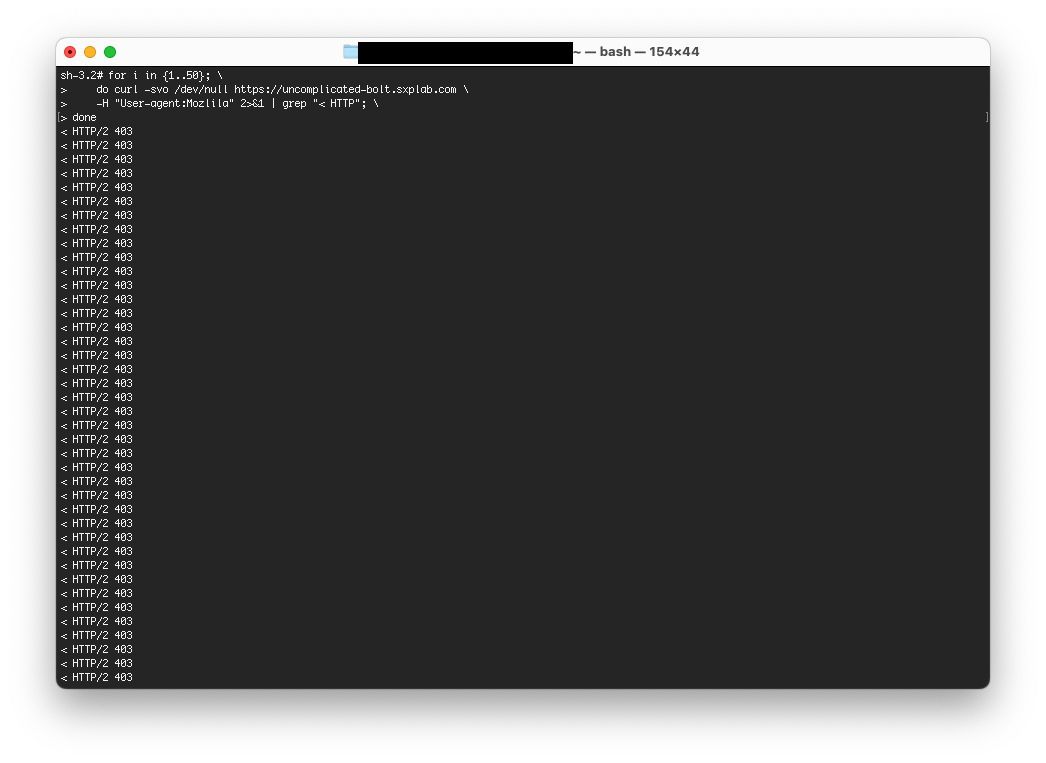
Learn more about Error 403 HTTP status code on Cloudflare Docs
- Go to
Security‣Analytics, and browserEventstab, and you will see the Number of Events spike.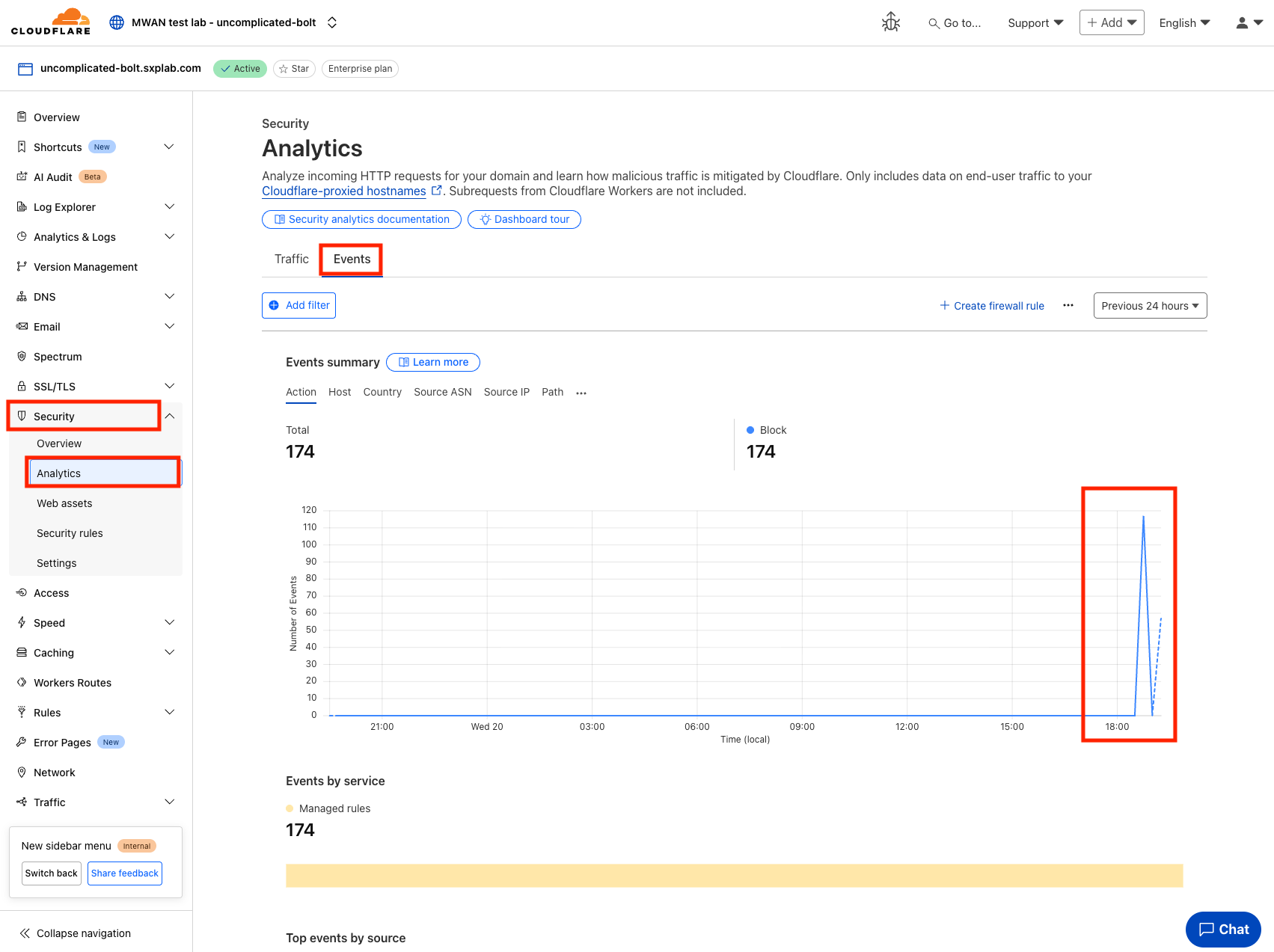
Checkpoint 2
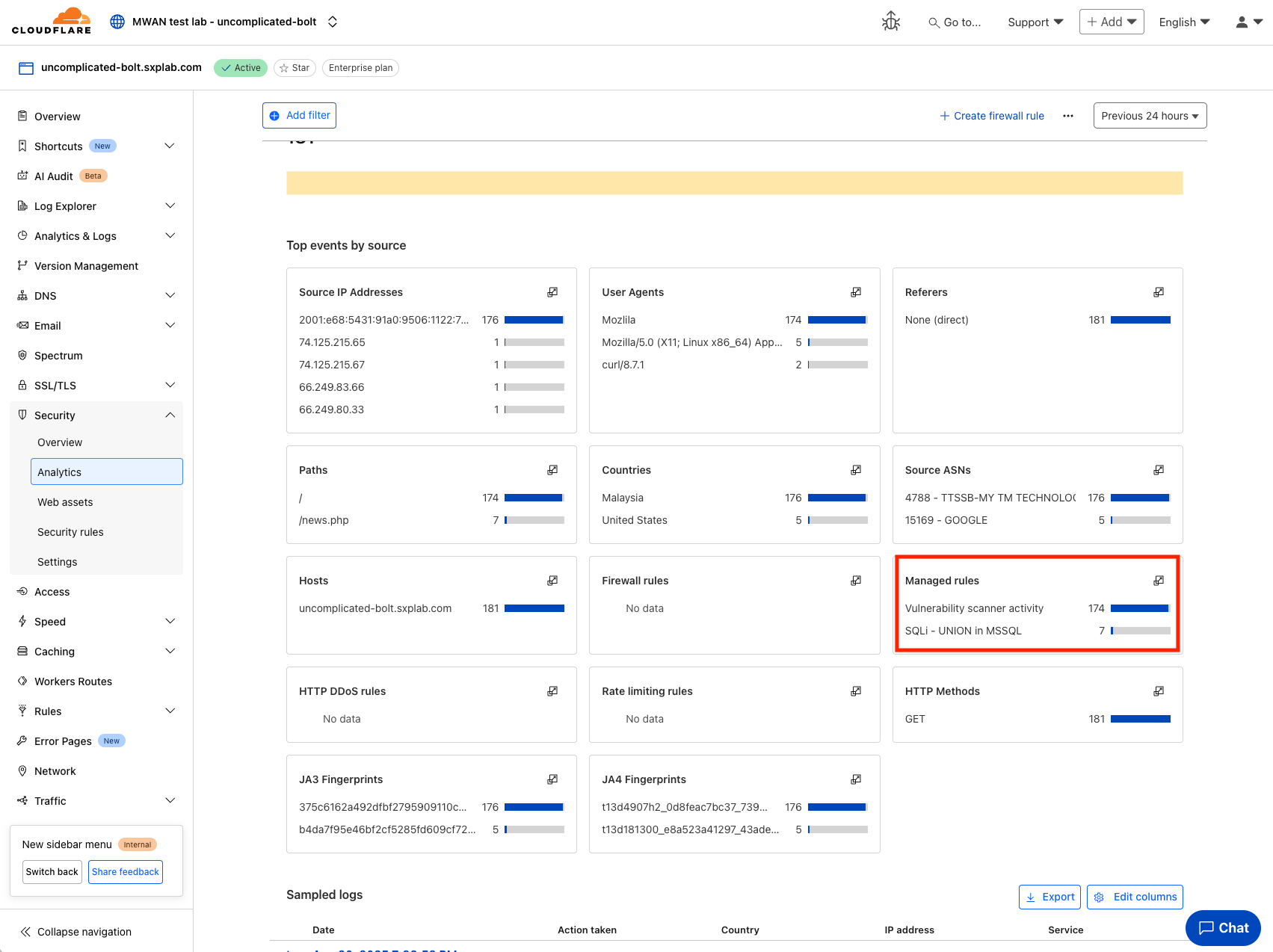
- We further scroll down and expand to see, these events is actually triggered and blocked by the ruleset that we deployed.
Spend some time looking at the various options you have here. Note how you can see the Service associated with a block.
Scroll down to see more details on the events, note you can see what triggered the rule, the source IP, and so on.
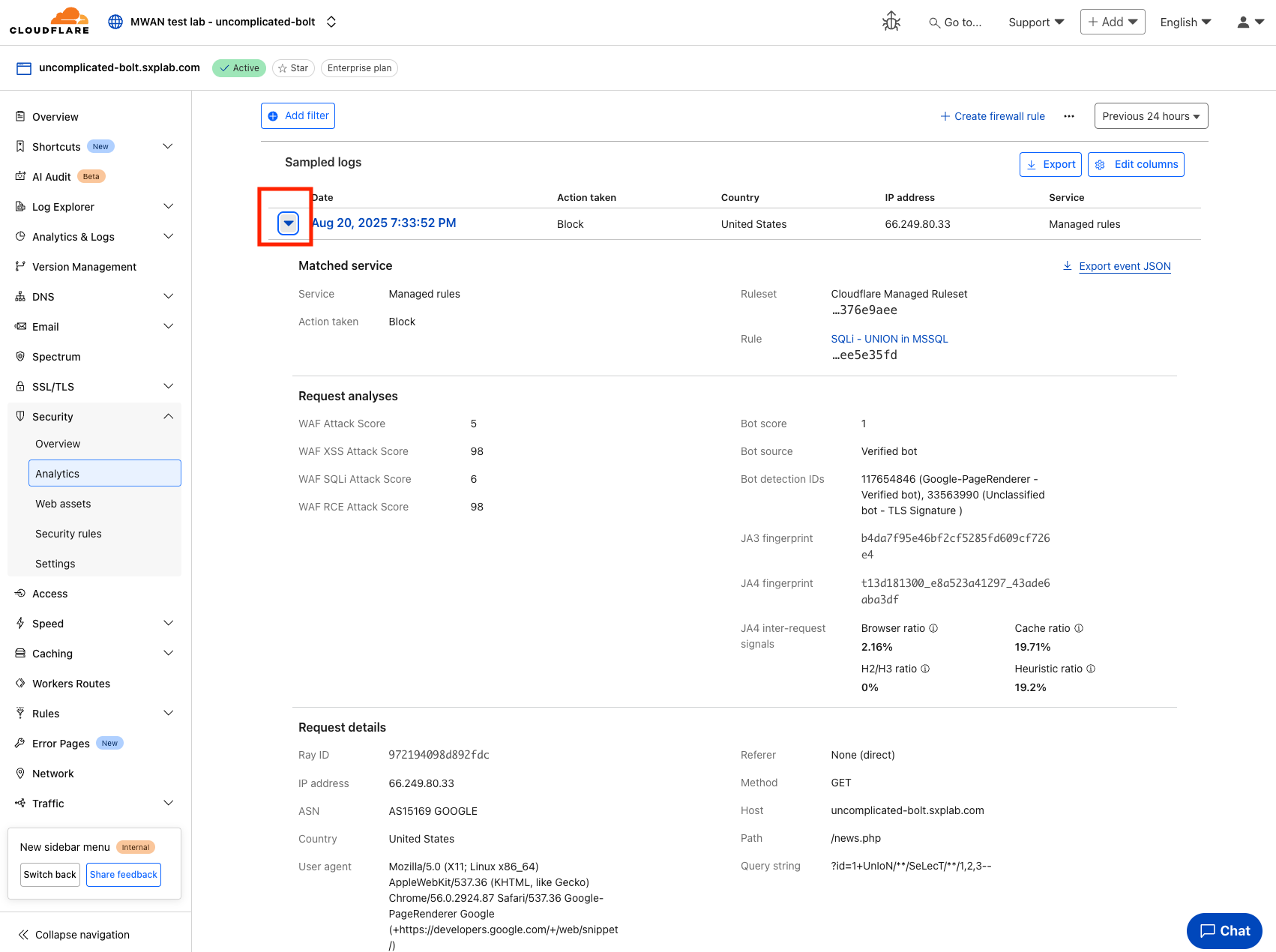
- Finally, expand one of the lines in the Activity Log - This provides even more detail. Note how you can see the Ruleset, and the Specific Rule ID, along with more detailed information on the request. This is very useful for analyzing WAF triggers.
👏 Give yourself a big round of applause—you’ve successfully secured your application with Cloudflare managed rules and OWASP Core! 🚀
Key Takeaway
Managed Rules are Cloudflare’s first line of defense — giving you immediate protection against common web attacks like SQLi, XSS, and other OWASP Top 10 vulnerabilities.
They save you time, are continuously updated by Cloudflare’s security team, and reduce the need to manually maintain complex rules.
⚡ Remember:
- Managed Rules are broad protection, while Custom Rules are for fine-tuning and application-specific cases.
- You can override or exclude rules when false positives occur, instead of disabling the entire ruleset.
- Always monitor the Security Events log after enabling, so you can verify what’s being blocked and adjust actions if needed.
- Think of them as your baseline shield, and then layer on Custom Rules + Rate Limiting for a complete defense.
📚 Further Reading
-
Configure rules in bulk in a Managed Ruleset
→ Learn how to configure multiple Managed Rules at once. This helps when tuning large deployments or applying consistent changes across your environment. -
Define exceptions in the dashboard
→ Understand how to create precise exceptions so legitimate traffic isn’t blocked. This is critical when working with APIs, plugins, or admin panels that may trigger false positives.